


Analysing an asset or portfolio
Analysis looks at one asset or portfolio at a time. To put several side by side, use comparing assets and portfolios; for a quicker read without the full settings, use Quick Insights.
Open the Analysis page from the Insights menu. Choose the Asset or Portfolio to analyse, a Benchmark to measure it against (the S&P 500 by default), and a Date Range, which covers the asset's full history unless you narrow it. Click Analyse to run the report; after changing any setting, click Analyse again to apply it.
The Advanced settings, in their own section, control how the metrics are calculated—price basis, periodicity, risk-free rate, and confidence level. They come set to sensible defaults, so you can usually leave them alone; analysis and comparison advanced settings explains each one.
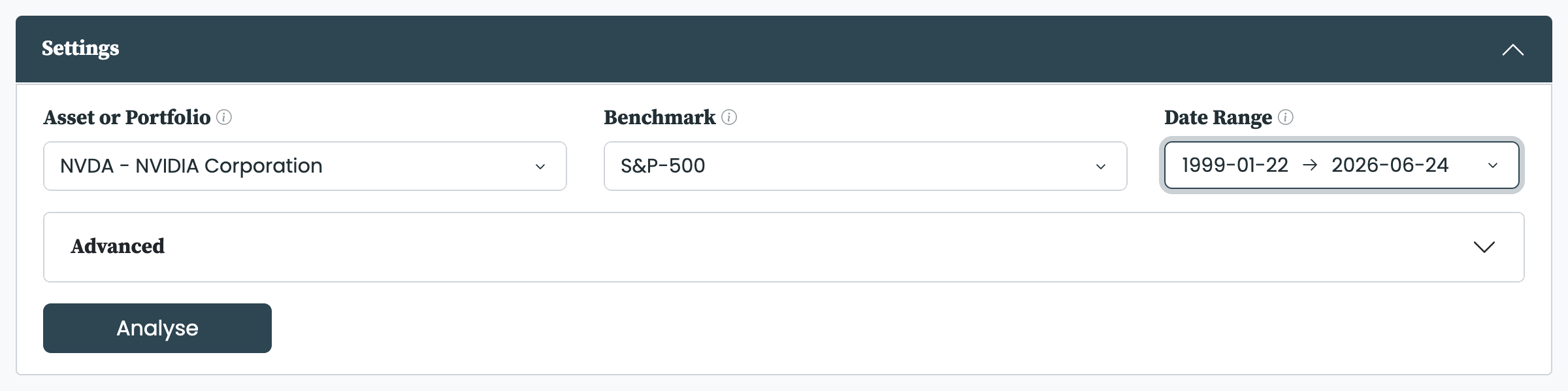
The Overview opens first and gives the headline read on the asset:
- Metrics: a table of the key performance and risk figures.
- Returns: the cumulative return over the date range, with a Log Scale switch.
- Drawdowns: the decline from each successive peak.
Every metric is defined in the metrics we use.
The Returns section breaks the return down four ways:
- Metric Details: the return metrics in full.
- Distribution: a histogram of returns at the frequency you choose—Daily, Monthly, Quarterly, or Annual.
- Monthly Returns: a heatmap of each calendar month's return.
- Annual Returns: a bar chart of each year's return.
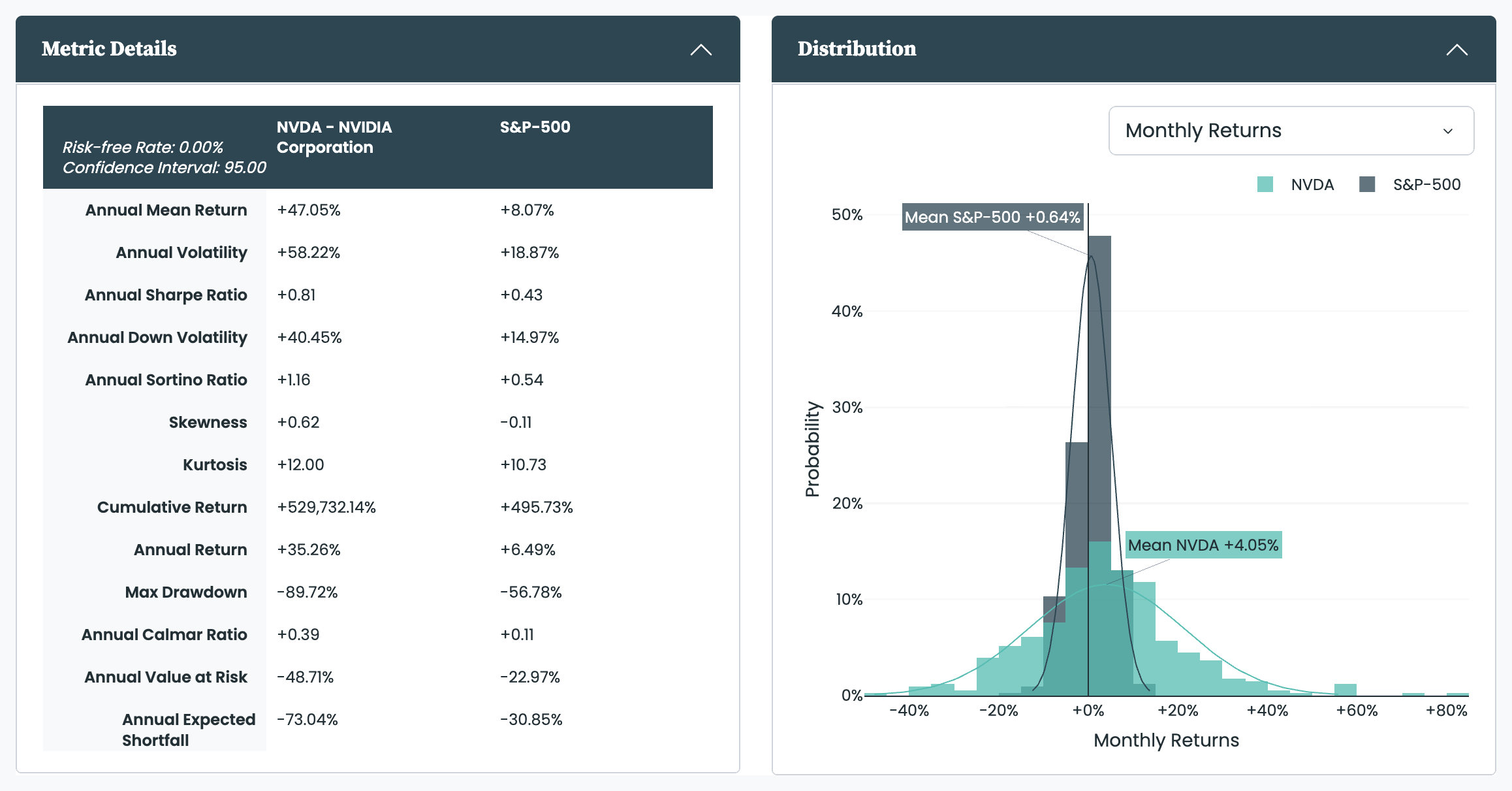
The return metrics in full, and the distribution of returns.
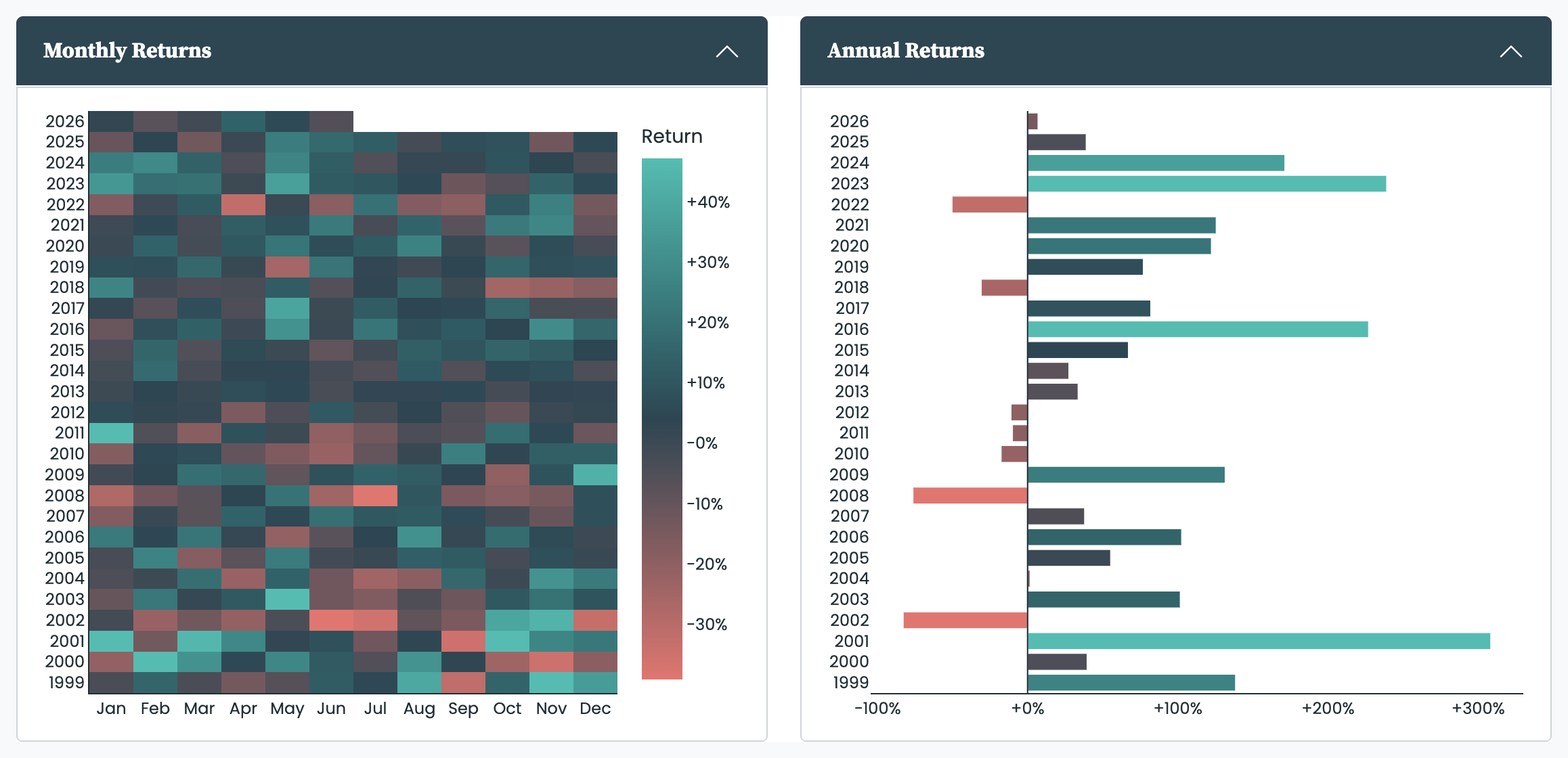
How each month and year contributed.
Rolling metrics
The Analysis page gives you two independent rolling charts, so you can watch two metrics through time at once—by default the rolling Mean Return and the rolling Volatility. See understanding rolling metrics for the chart and its controls.
For a portfolio, the Allocations section shows where its performance and its weight come from, as four charts:
- Contribution to Returns and Contribution to Drawdowns: split the portfolio's return and its drawdowns across its holdings.
- Allocations: the weight of each holding over time.
- Current Allocations: the latest split shown two ways.
Each chart has its own Group By, so you can break the portfolio down by asset, asset class, region, and more—the same groupings explained in understanding the allocation charts. The Allocations section is shown for portfolios, and for the 'my_investments' asset pfolio builds from the transactions in your investment trade log. On a paid plan it requires a completed investor profile; until that is filled in, it shows a prompt to complete the profile in place of the charts.


