


Selecting assets for a portfolio
Contents
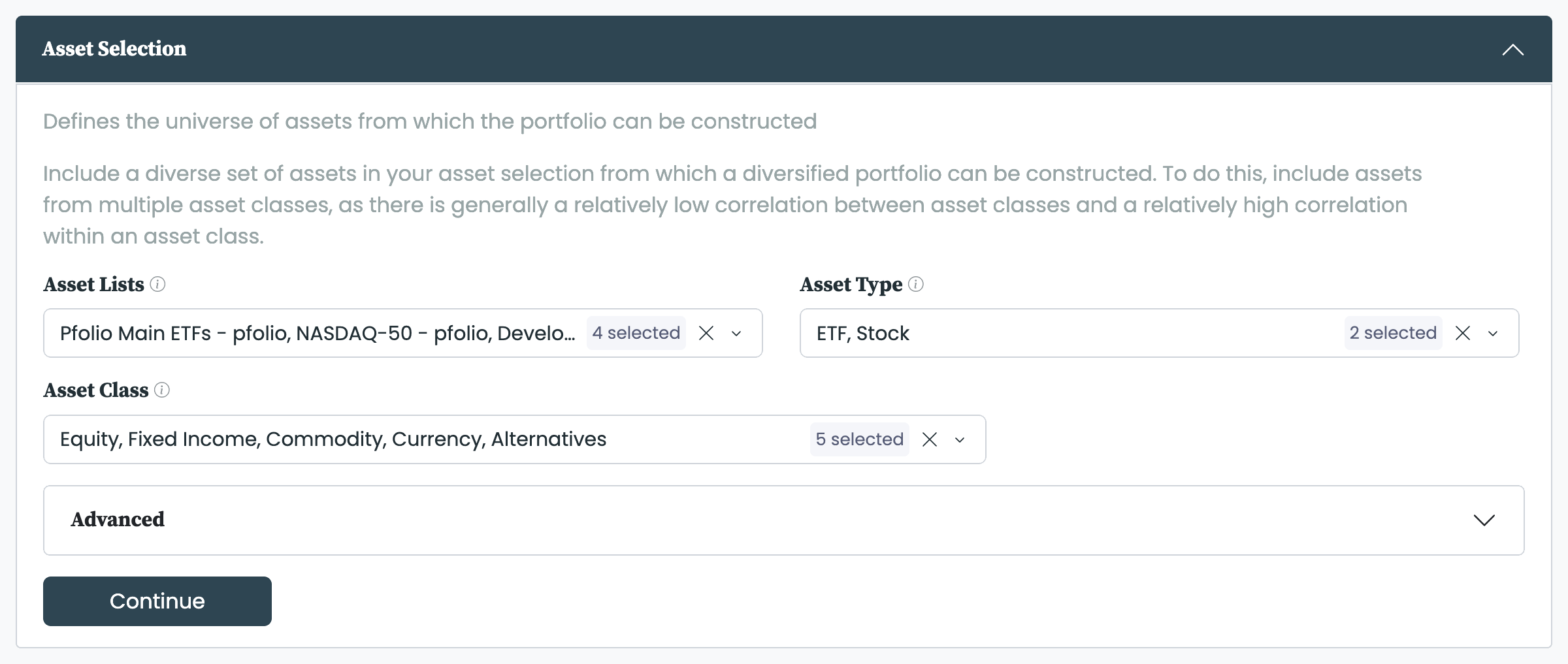
Asset selection is the second stage of building a portfolio. It defines the universe of assets from which the portfolio can be constructed. You build that universe from one or more asset lists, then use filters to express the selection you want—for example, only equity ETFs from developed markets. Include a diverse set of assets across multiple asset classes: correlation is generally low between asset classes and high within one, so a spread of classes makes for a more diversified portfolio. The filters must leave at least two assets; with fewer, there is no portfolio to construct.
Selecting assets for a portfolio.
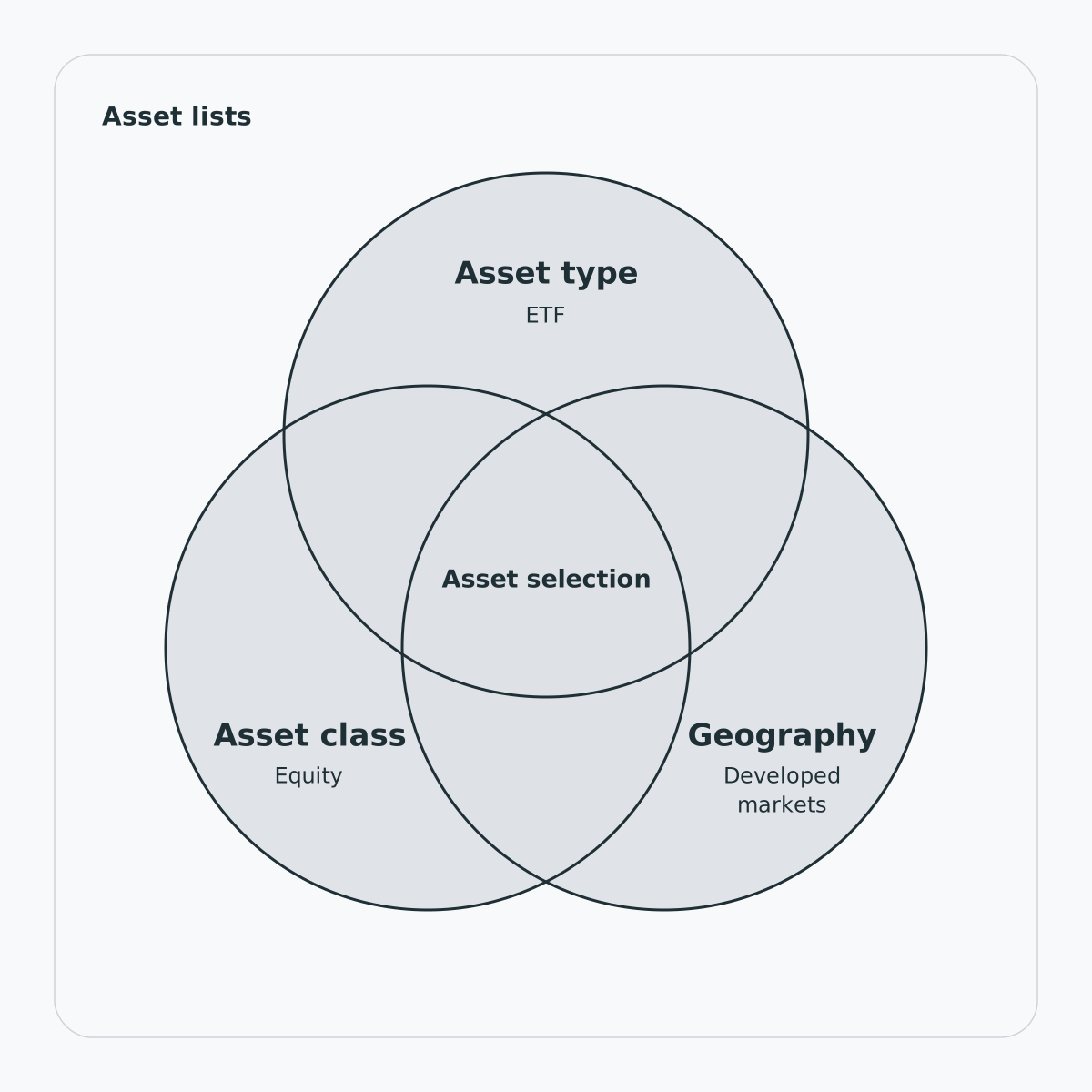
The asset selection is the overlap of your filters
Filtering by asset type and class
The Asset Type and Asset Class filters work in combination: only assets matching both a selected Asset Type and a selected Asset Class remain, and a blank filter includes everything in that dimension. For example, Asset Type ETF with Asset Class Equity narrows the universe to equity ETFs.
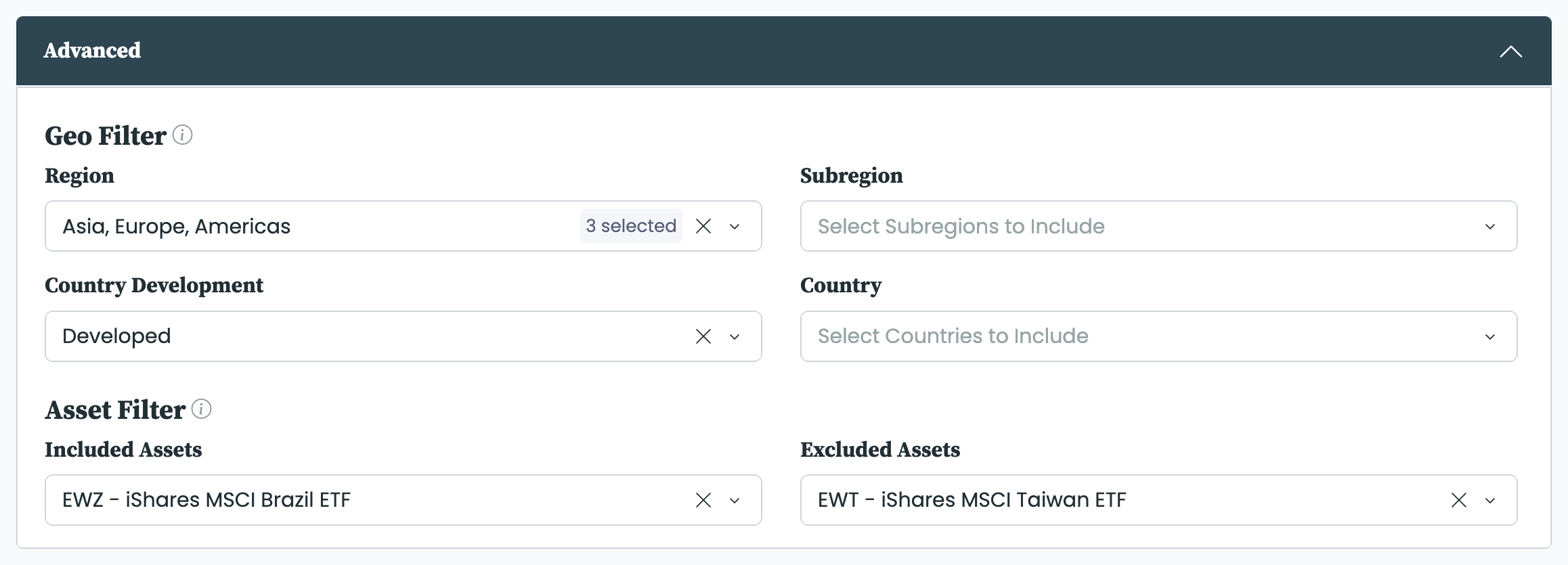
The Geo Filter, in the Advanced tab, narrows the universe by region, subregion, country development, and country, on the same in-combination basis. A blank filter includes everything; add None to keep assets that have no geographic attribute. For example, restricting Country Development to developed markets keeps only developed-market assets.
The Asset Filter, also in the Advanced tab, overrides the filters above. Assets added to Included Assets are guaranteed to be in the universe; assets added to Excluded Assets are guaranteed to be out.
The asset selection is the universe, not the portfolio itself. Per rebalancing period, a number of assets are selected from the universe to become the current portfolio, and their weights are set in asset allocation—which is also where the number of assets to hold is set. Keep the universe at least as large as that number, and ideally a good deal larger, so the allocation has a real choice of assets to pick from.


