


Portfolio summary
Contents
The portfolio summary shows what a built portfolio achieved over its backtest. It opens automatically when you open an existing portfolio in the Portfolio Builder, and again after a portfolio finishes updating; to bring it back at any point, choose Actions, then View Summary. It is the quickest read on whether a portfolio behaves the way you intended.
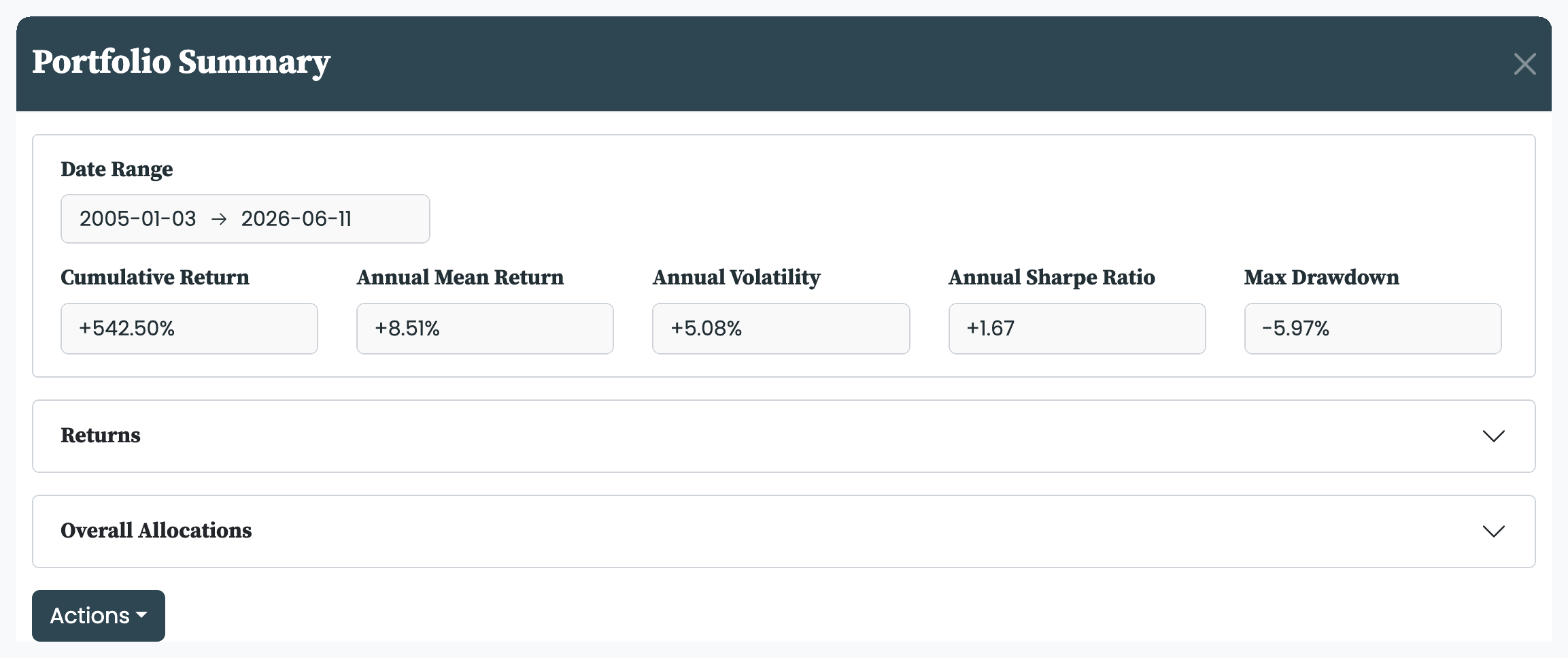
The card at the top shows five headline metrics over a selectable Date Range: Cumulative Return, Annual Mean Return, Annual Volatility, Annual Sharpe Ratio, and Max Drawdown. Narrow the range to judge a specific stretch—a crisis year, say—rather than the whole backtest. The metrics are defined in the metrics we use.
The Returns tab charts the portfolio against a Benchmark of your choice. The Metric dropdown switches the chart between Returns and Drawdowns: returns show what the portfolio made; drawdowns show what it lost from each peak, which is often the better view of how it would have felt to hold.
This is where the comparison benchmark is chosen—it is a viewing choice, not part of the portfolio's configuration, which is why you will not find it in Portfolio Setup. Any asset on the platform can serve as the benchmark.
The Allocations tab shows what the portfolio holds. The Type dropdown switches between Overall Allocations—the allocation across the whole backtest—and Current Allocations, the holdings as of the latest rebalance. Group By rolls the view up by Asset, Asset Type, Asset Class, Region, Subregion, Country, or Country Development, so you can check the portfolio's spread at whichever level matters to you.
From the summary's Actions you can jump straight on: Portfolio Details opens the configuration in the Portfolio Builder, and Analyse and Compare send the portfolio to the Insights tools for a deeper look—see Analysing and comparing portfolios. If the summary is not what you hoped for, the levers to revisit are the portfolio's goals, optimisation method, and constraints.


