


Understanding rolling metrics
Rolling metrics appear on the Analysis and Comparison pages and in Quick Insights. They work the same way everywhere; this article explains the chart and its controls.
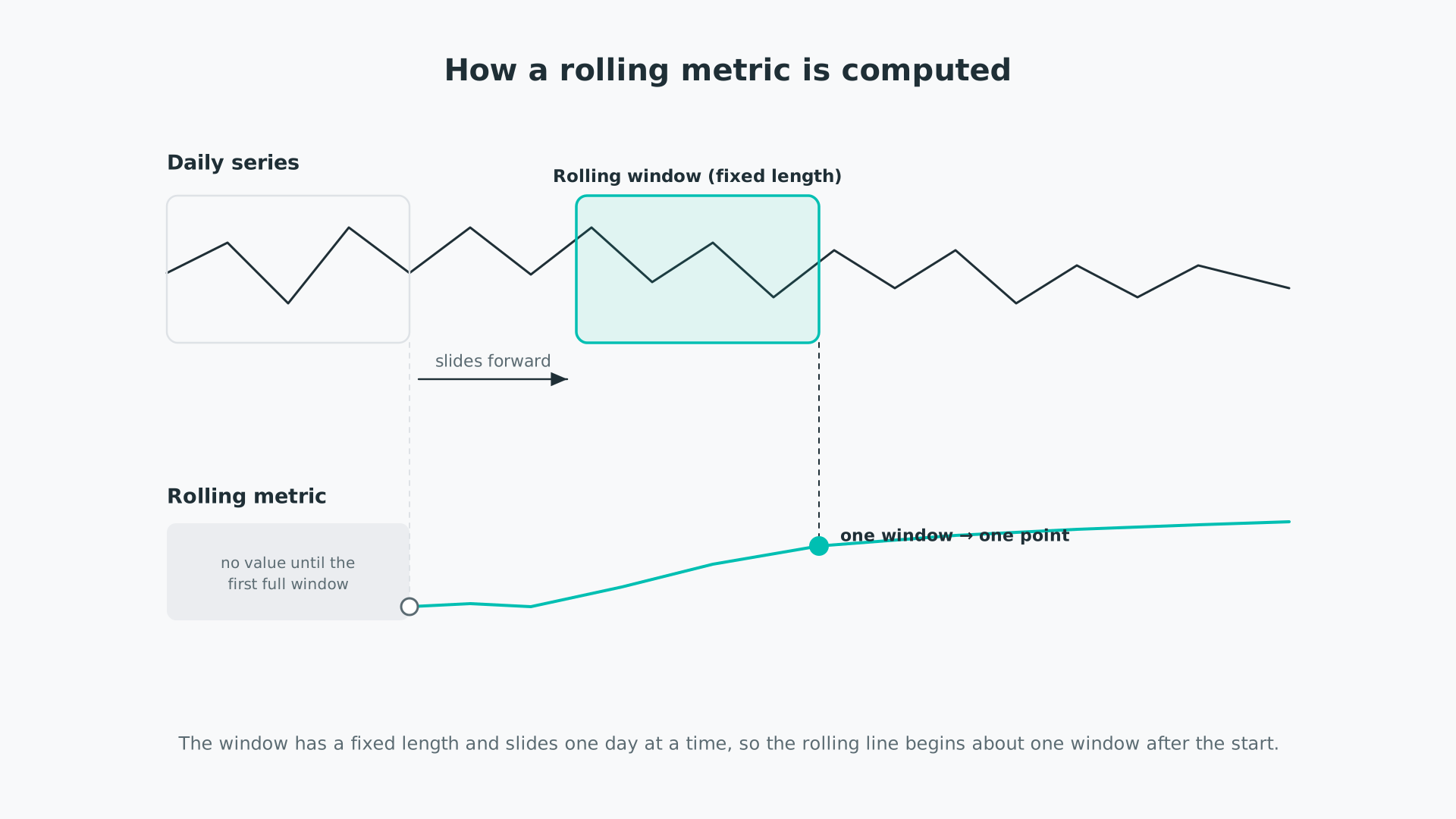
A standard metric reduces the whole date range to a single number. A rolling metric instead recalculates that metric every day over a trailing window of a set length—so a 12-month rolling volatility shows, for each day, the volatility of the preceding 12 months. Plotting those values through time shows whether the metric has held steady or drifted, and when. For the underlying idea of a rolling window, see time series data and metric types.
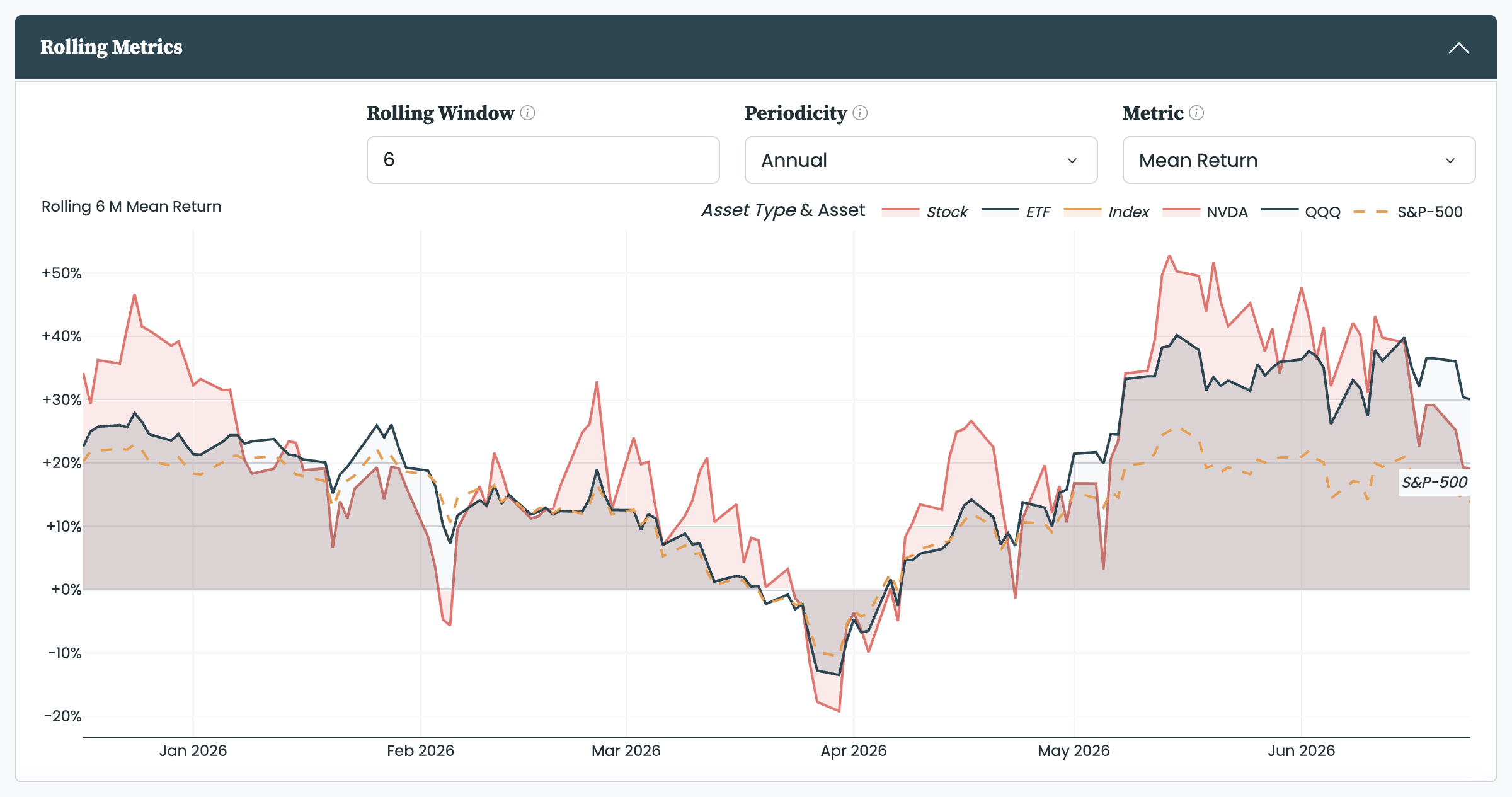
Each rolling chart has three controls:
- Rolling Window: the length of the trailing window, in months. A 12-month window calculates each day's value over the preceding 12 months. A longer window gives a smoother, steadier line; a shorter one reacts faster but is noisier.
- Periodicity: the period the metric is scaled to, for example a daily or an annual figure. Some metrics, such as cumulative return, do not depend on it.
- Metric: which metric the chart rolls. Every metric is defined in the metrics we use.
Because the first window needs a full span of data, the rolling line begins about one window-length after the start of your date range—pfolio does not reach back before your start date to fill it, so a longer window starts later.
Rolling metrics are most useful when the question is not "what is the number" but "how has it changed":
- Spot trends and shifts: see when volatility started to climb or when returns turned, instead of reading a single figure for the whole period.
- Test whether a headline number holds up: a strong average return means more if the rolling line was steady than if one short stretch carried it.
- Watch a relationship change: roll Beta or Correlation to see how an asset's link to its benchmark has drifted over time.
- Compare stability: on the Comparison page, overlaying a rolling metric shows which selection has been the steadier.
- Analysis: two independent rolling charts, so you can watch two metrics at once—by default the rolling Mean Return and the rolling Volatility.
- Comparison: one rolling chart that overlays every selection on a single metric.
- Quick Insights: the Asset Insights view includes one rolling chart, defaulting to Mean Return.


