


Asset attributes
Contents
Every asset has two sides. Its data is the daily price series that every metric is calculated from—imported, downloaded, or created, then cleaned by the processing engine. Its attributes are the metadata that describe and categorise it: what it is, where it trades, and the figures that summarise it. This article covers the attributes. They live in the Asset Attributes tab of the Asset Builder, reached from the asset database through View Details in the Actions menu.
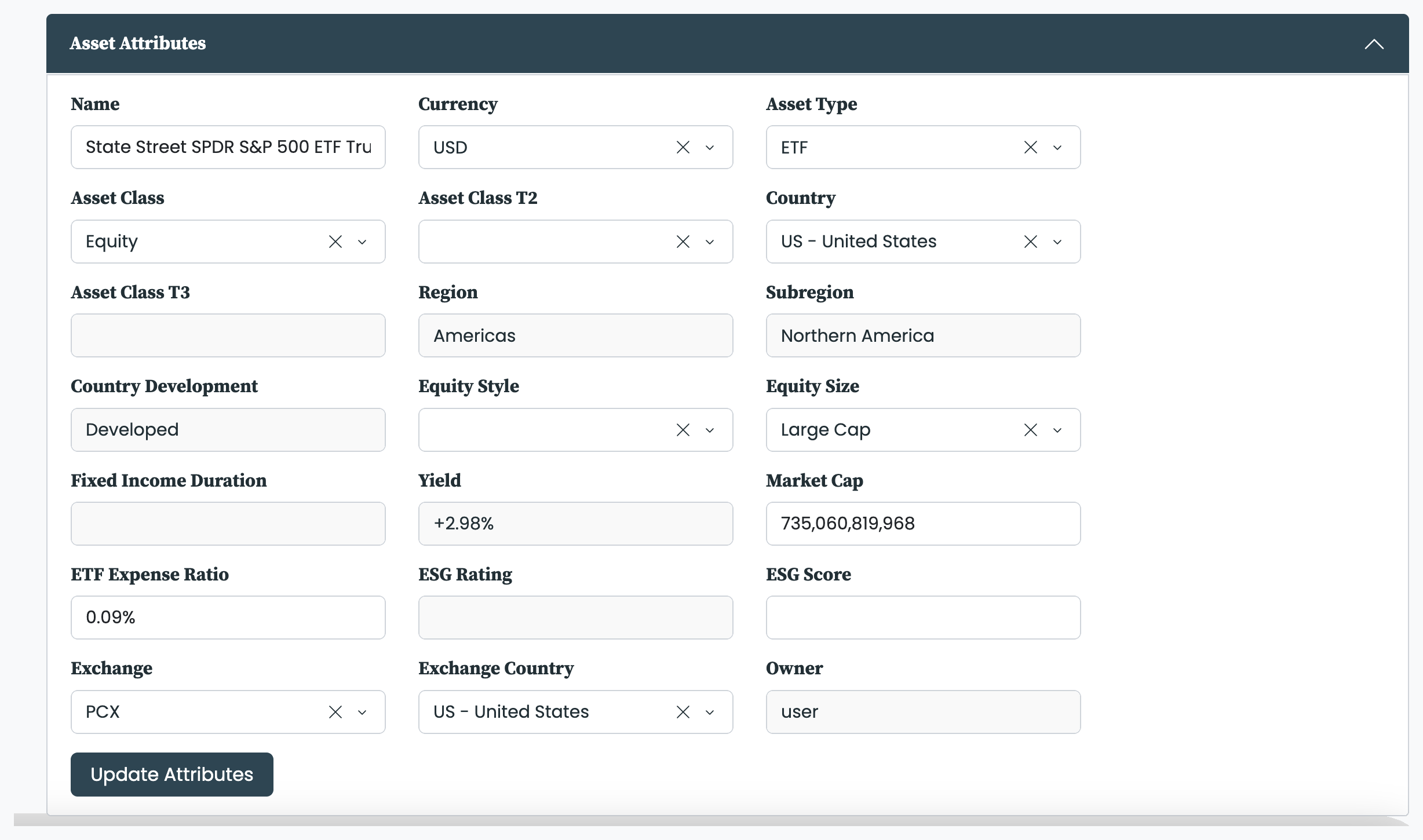
Name identifies the asset in plain language. The asset-class hierarchy places it in three nested levels—Asset Class, Asset Class T2, and Asset Class T3—so a fund can be classified from broad (Equity) down to a sector and then an industry. Asset Type records the instrument, for example ETF or Stock, and Currency the currency the asset is quoted in.
A second group carries summary figures: Yield, Market Cap, ETF Expense Ratio, ESG Score, and ESG Rating. Two further fields describe how the asset was built rather than what it is—Leverage, and Extended (whether a backfill has been applied)—and appear as columns in the Asset Database. Owner records who created the asset.
At a glance—editability shown is for assets you own; pfolio's assets are read-only throughout.
| Attribute | What it is | Editable? |
|---|---|---|
| Name | Plain-language label for the asset | Yes |
| Asset Class (hierarchy) | Three nested levels: Asset Class, Asset Class T2, Asset Class T3 | Yes |
| Asset Type | The instrument, e.g. ETF or Stock | Yes |
| Currency | Currency the asset is quoted in | Yes |
| Country / Subregion / Region | Where it trades; cascading geographic fields | Yes |
| Country Development | Developed, emerging, or frontier; derived from Country | Read-only (derived) |
| Equity Style | Set only when the Asset Class is Equity | Yes (Equity only) |
| Equity Size | Set only when the Asset Class is Equity | Yes (Equity only) |
| Fixed Income Duration | Set only when the Asset Class is Fixed Income | Yes (Fixed Income only) |
| Yield | Summary figure | Read-only |
| Market Cap | Summary figure | Yes |
| ETF Expense Ratio | Summary figure | Yes (ETF only) |
| ESG Score | Summary figure | Yes |
| ESG Rating | Summary figure | Read-only |
| Leverage | How the asset was built | Yes |
| Extended | Whether a backfill has been applied | Yes |
| Owner | Who created the asset | Read-only |
The geographic cascade
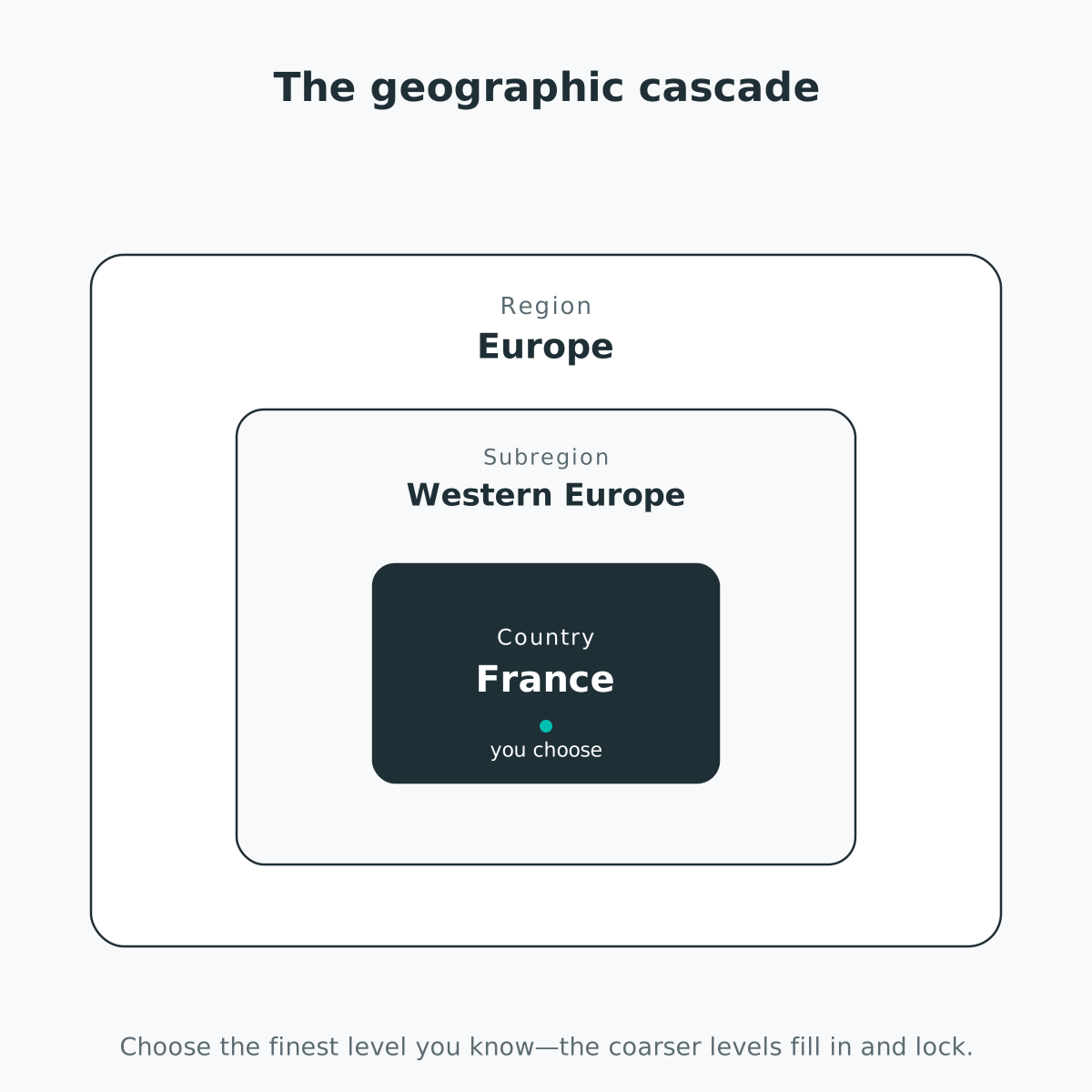
Geography is set through three linked dropdowns—Country, Subregion, and Region—that narrow from the finest level to the coarsest. They cascade: choosing a Country fills and locks its Subregion and Region, and choosing a Subregion fills and locks its Region. Clear the finer level to unlock the coarser one. Country covers roughly 250 entries and is searchable. Beyond categorising the asset, the Country sets which market-holiday calendar the processing engine applies when filling non-trading days, so changing it changes which days are treated as holidays. A related field, Country Development, marks the market as developed, emerging, or frontier; it is derived from the Country, so it locks once a Country is set.
Some attributes apply only to a particular asset class. Equity Style and Equity Size are available only when the Asset Class is Equity; Fixed Income Duration only when it is Fixed Income. For any other class these fields stay empty, as there is no meaningful value to set.
Editing is governed by ownership and gated on the Asset Builder add-on: you can edit only the assets you created—those whose Owner is you rather than pfolio, shown in the Owner column of the Asset Database—and changing attributes requires the Asset Builder add-on. For pfolio's assets every field is read-only. A few fields are derived and stay read-only even on your own assets: Yield, ESG Rating, and Owner. ETF Expense Ratio is editable only on assets typed as ETF. Make your changes in the Asset Attributes tab and click Update Attributes to save. Creating and editing assets is done through the Asset Builder—see our asset-building options.
Attributes do more than describe an asset; they drive how assets are filtered and grouped across the platform.
- In the Asset Database they appear as columns, so the database can be sorted and scanned by any attribute. The metric columns alongside them are a separate set—see the metrics we use.
- In the Portfolio Builder they define the investable universe. The Asset Type and Asset Class filters, together with the geographic filters for region, subregion, country development, and country, narrow the assets a portfolio may hold—see selecting assets for a portfolio.
- In Insights and on the Dashboard they drive Group By and its colour coding: returns, allocations, and metrics can be aggregated by asset class, asset type, region, subregion, country, or country development—see analysing ETFs, stocks, and more.


