


Importing an asset
Contents
Import is one of the three data sources in the Asset Builder, alongside Data Provider and Created—see our asset building options for the overview. Choose it when you hold the price history yourself rather than sourcing it from an external provider.
To import an asset, select Import as the Data Source, enter the Asset Ticker, supply the data, and click Import Asset. The Asset Ticker is required and uniquely identifies the asset across the platform; once set, it cannot be changed.
You can provide the data in one of two ways, and the choice decides only how the series refreshes over time.
- File path: enter a URL to a .csv file. pfolio re-fetches that file during the daily data update routine, so any later changes at the source are picked up automatically. This suits a series you maintain at a stable address.
- Upload: drag and drop, or select, a .csv or Excel file from your computer. The uploaded data is static—to reflect later changes, you upload the file again.
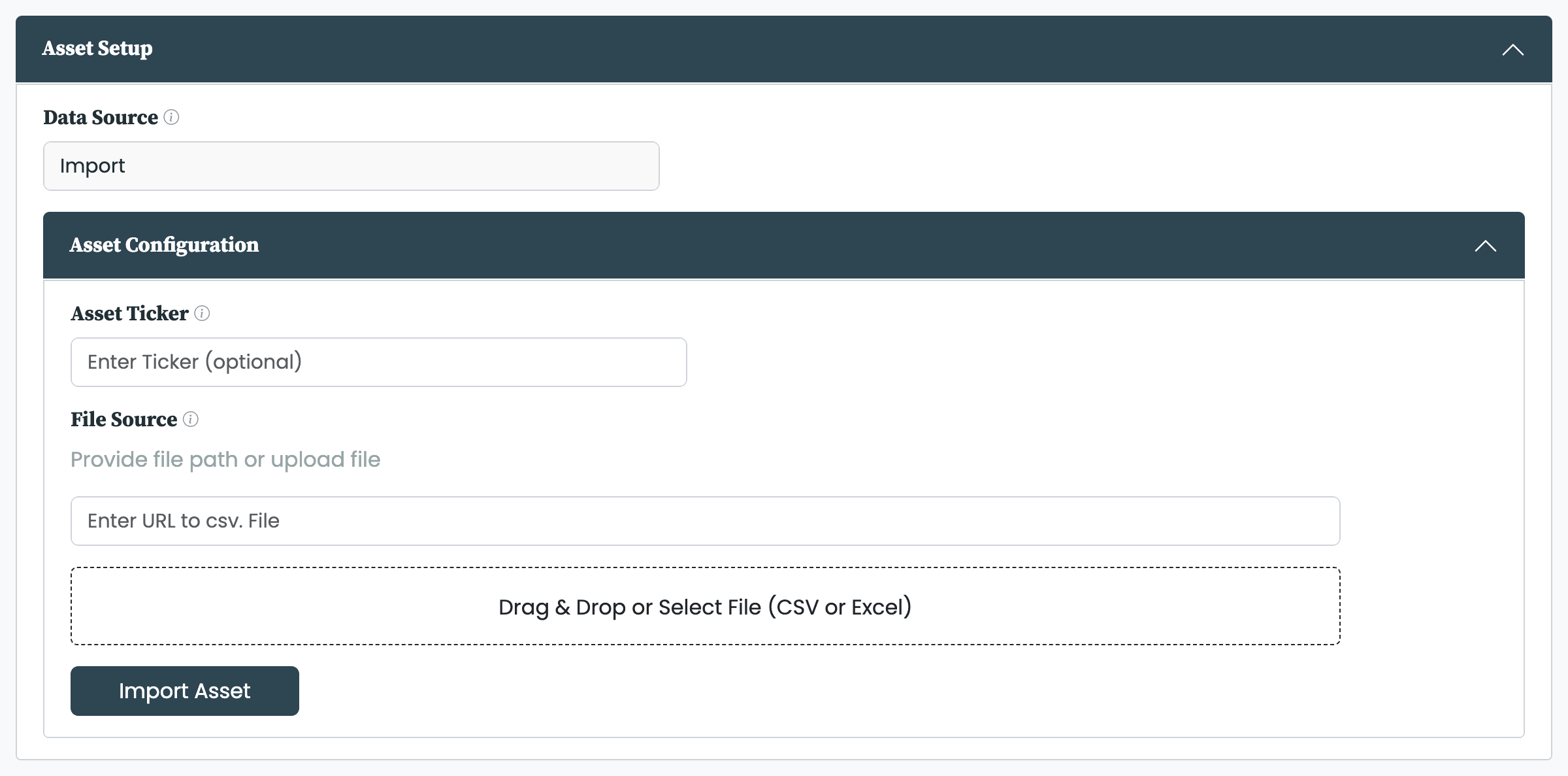
Whichever route you use, the data follows one format: one row per day, with these columns.
| Column | Required? | Description |
|---|---|---|
| Date | Required | The day of the observation, in any common date format |
| Close | Required | The asset's daily close price |
| Adj Close | Optional | Supply it when you already hold a total-return series; when you do not, the adjusted series is set equal to the close series |
pfolio then runs the imported series through the same cleaning engine every asset passes through, and reports its health in the Data Quality table. What that processing does, and how to inspect and download the cleaned series, is covered in processing asset data.
An imported asset arrives with only its price data—attributes such as currency, asset class, and region are not set on import. Add them afterwards in the asset's Asset Attributes tab; see asset attributes.
The Asset Builder confirms a successful import and flags the common problems.
- File upload successful: the upload was read and the asset was added.
- Enter a ticker: the Asset Ticker field was left blank.
- The asset could not be imported: the file path or uploaded file could not be read into a valid series.
- The asset is already in the database: an asset with that ticker already exists, so nothing was added.
- Please only use standard characters for the asset name: the Asset Ticker contains characters that are not allowed.
Importing an asset requires the Asset Builder add-on; without it the Asset Builder opens read-only and an alert points to where the add-on is activated. The add-on is tier-gated, so the plan you are on determines whether it is available.


