


Understanding the allocation charts
Contents
When a portfolio is analysed in Insights, it gets one tab assets do not have: Allocations. Its four charts break the portfolio's behaviour down to its holdings—what drove the gains, what drove the losses, how the weights moved over time, and what the portfolio holds now.
Every chart on the Allocations tab carries a Group By setting with the same logic: it aggregates assets of the same category into a single series. With Group By set to Asset Type, for example, the allocations of all ETFs in the portfolio are summed and shown as one "ETF" series, all stocks as one "Stock" series, and so on—and the contribution charts aggregate the same way, summing each category's contribution. The categories are Asset Type, Asset Class (the default), Region, Subregion, Country, and Country Development; set to Asset, nothing is aggregated and each asset is shown individually. Each chart has its own Group By control, so the same portfolio can be read as an asset-class story in one chart and a regional story in the next—or asset by asset.
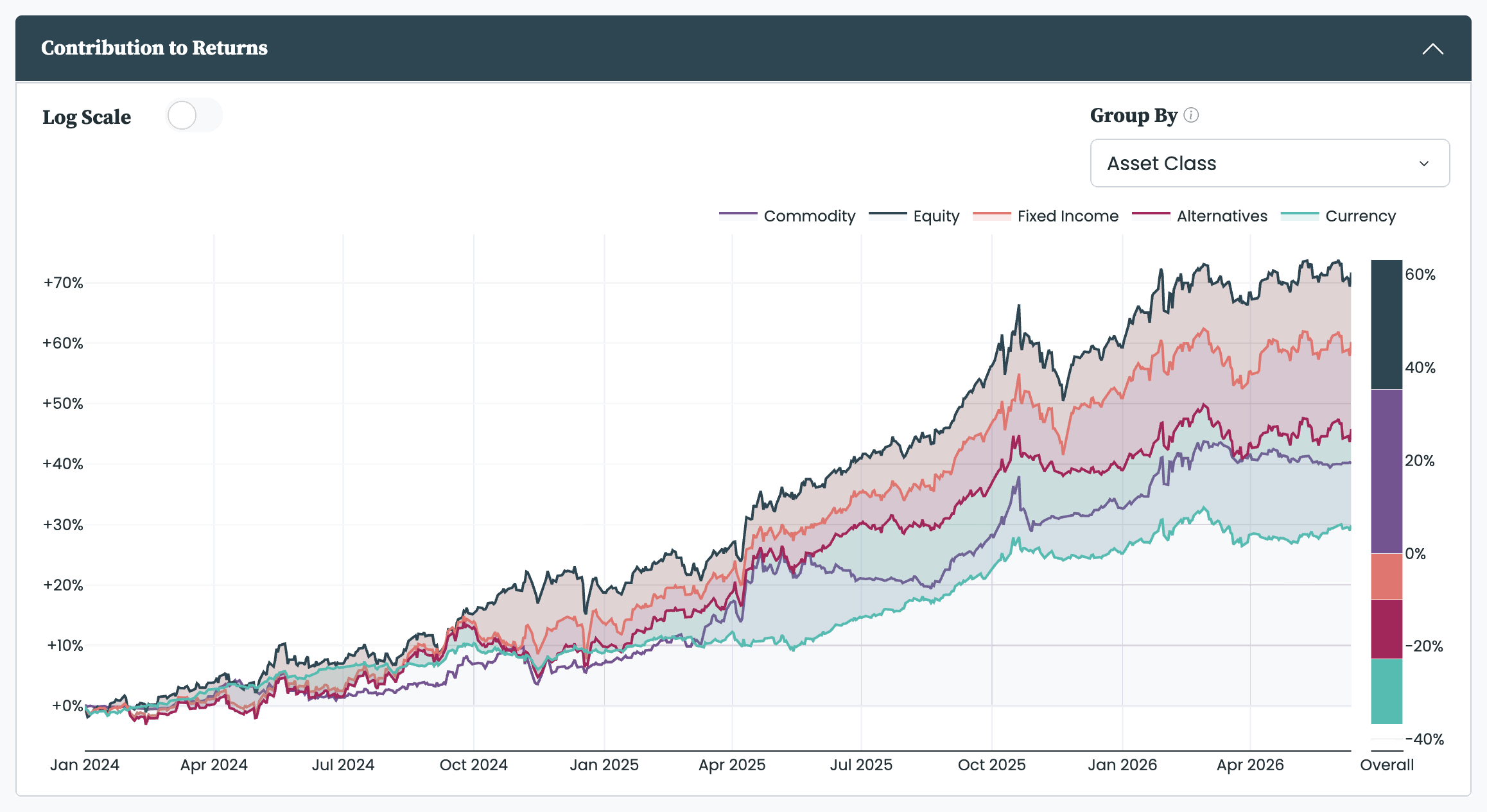
Splits the portfolio's cumulative return into the contribution of each group. The main chart shows this over time: at any date, a group's value is its weight times its return, accumulated since the start, and the groups sum to the portfolio's overall return. The Overall panel beside it condenses the whole period into one bar per group—each group's share of the total return. Together they show not just that the portfolio rose, but which holdings did the lifting—and which dragged.
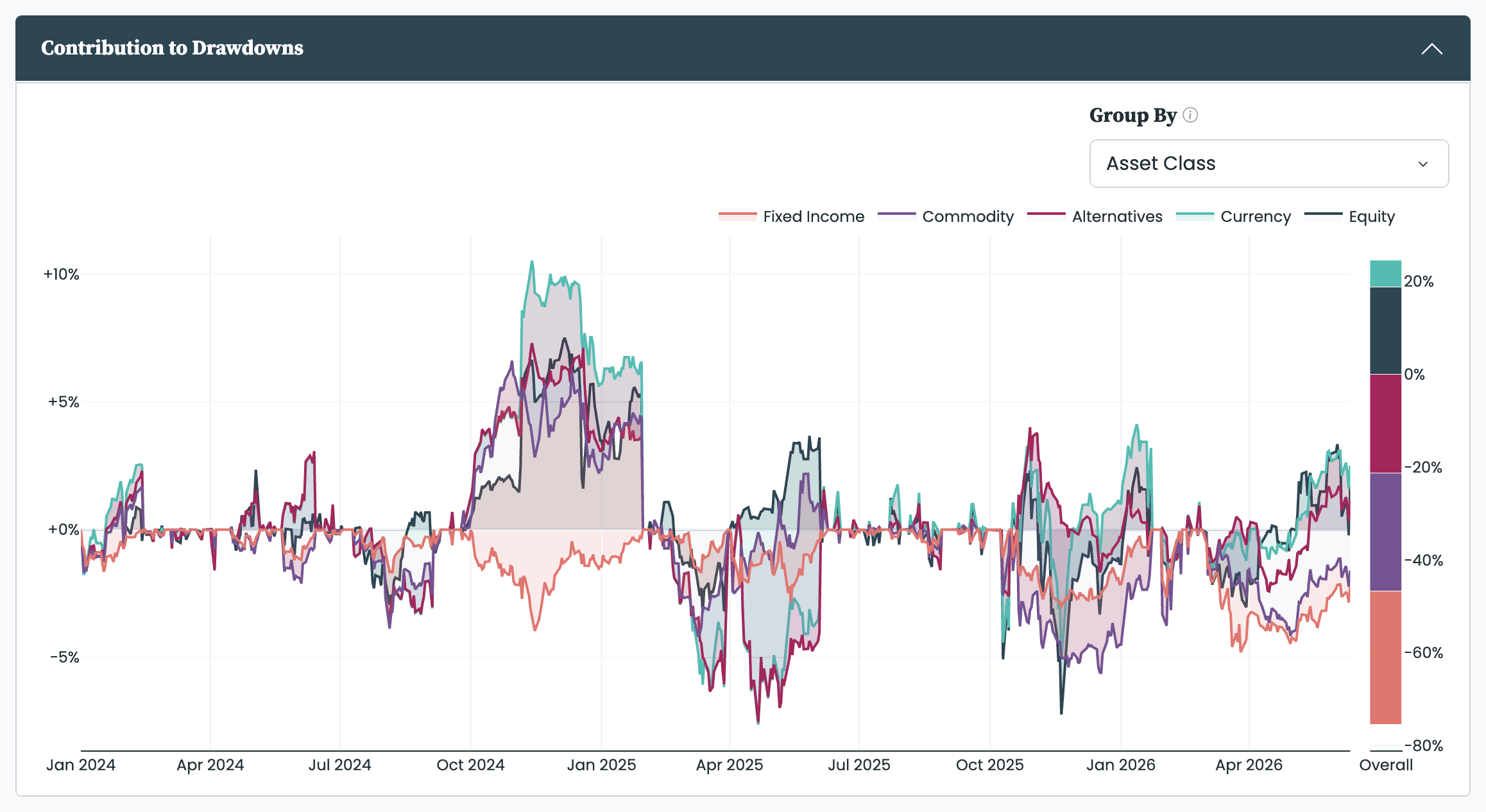
The same decomposition applied to the portfolio's losses: whenever the portfolio is below an earlier peak, the main chart attributes the drawdown to the groups that caused it, and the Overall panel shows each group's share of the drawdowns across the whole period. It answers the question the summary cannot—when the portfolio fell, what exactly was falling, and did the hedge do its job.
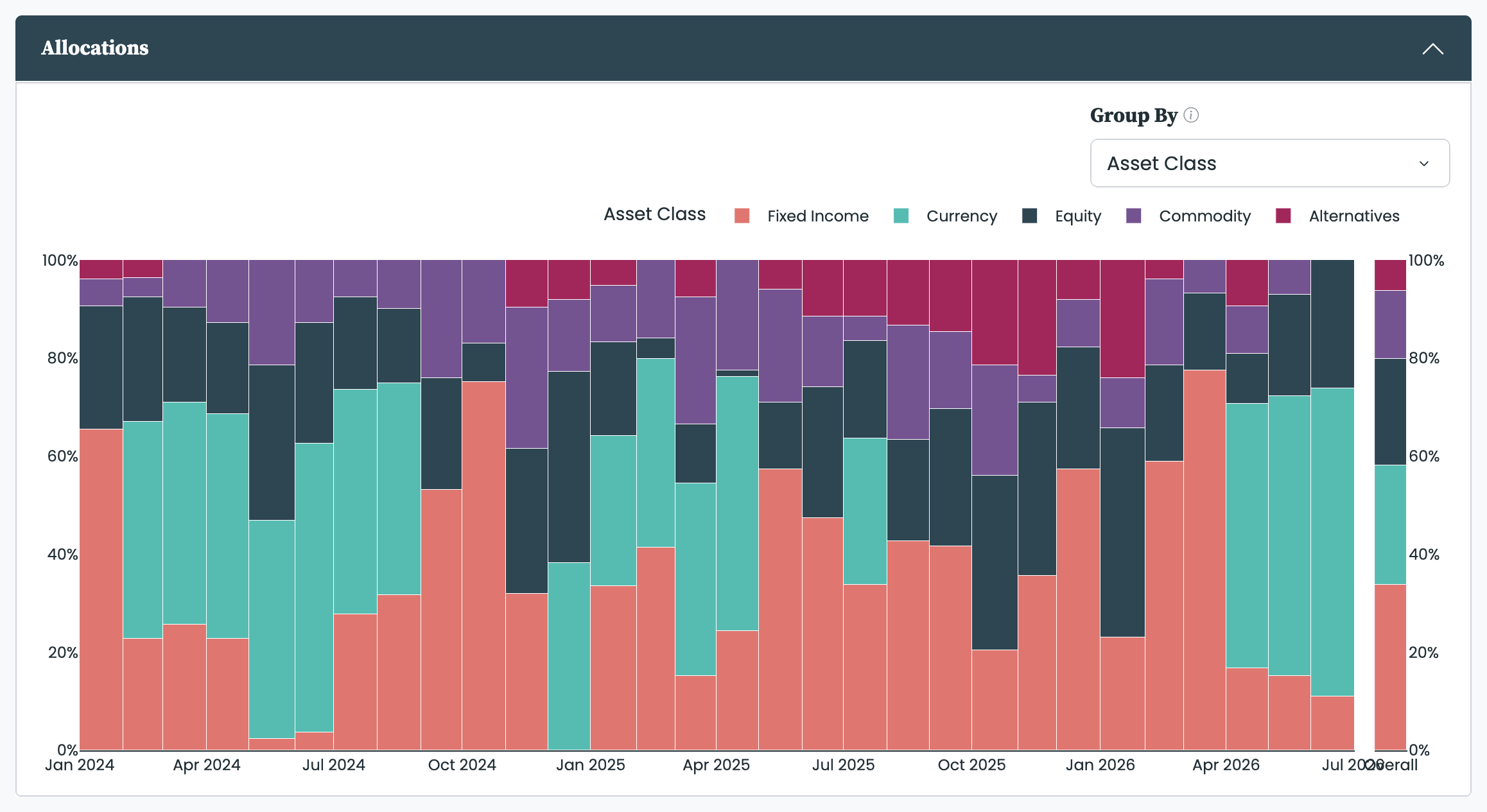
One stacked bar per rebalancing period, showing the portfolio's weights by group at each rebalance, alongside the average allocation over the whole backtest (weighted by how long each allocation was held). This is where you see the portfolio repositioning itself: a stable portfolio shows similar bars throughout; a reactive one shows the mix swinging with the market.
The weights are normalised so that each bar always totals 100%, whatever the portfolio's leverage—a 3.0x leveraged portfolio shows the same 100% bar as an unleveraged one, scaled to its relative composition. For a portfolio with mixed long and short positions, short weights keep their negative sign and appear below the zero line, and the normalisation uses the sum of the weights' absolute values: a portfolio that is 130% long and 30% short displays as 81.25% long and −18.75% short, since the two sides together count as 160%.
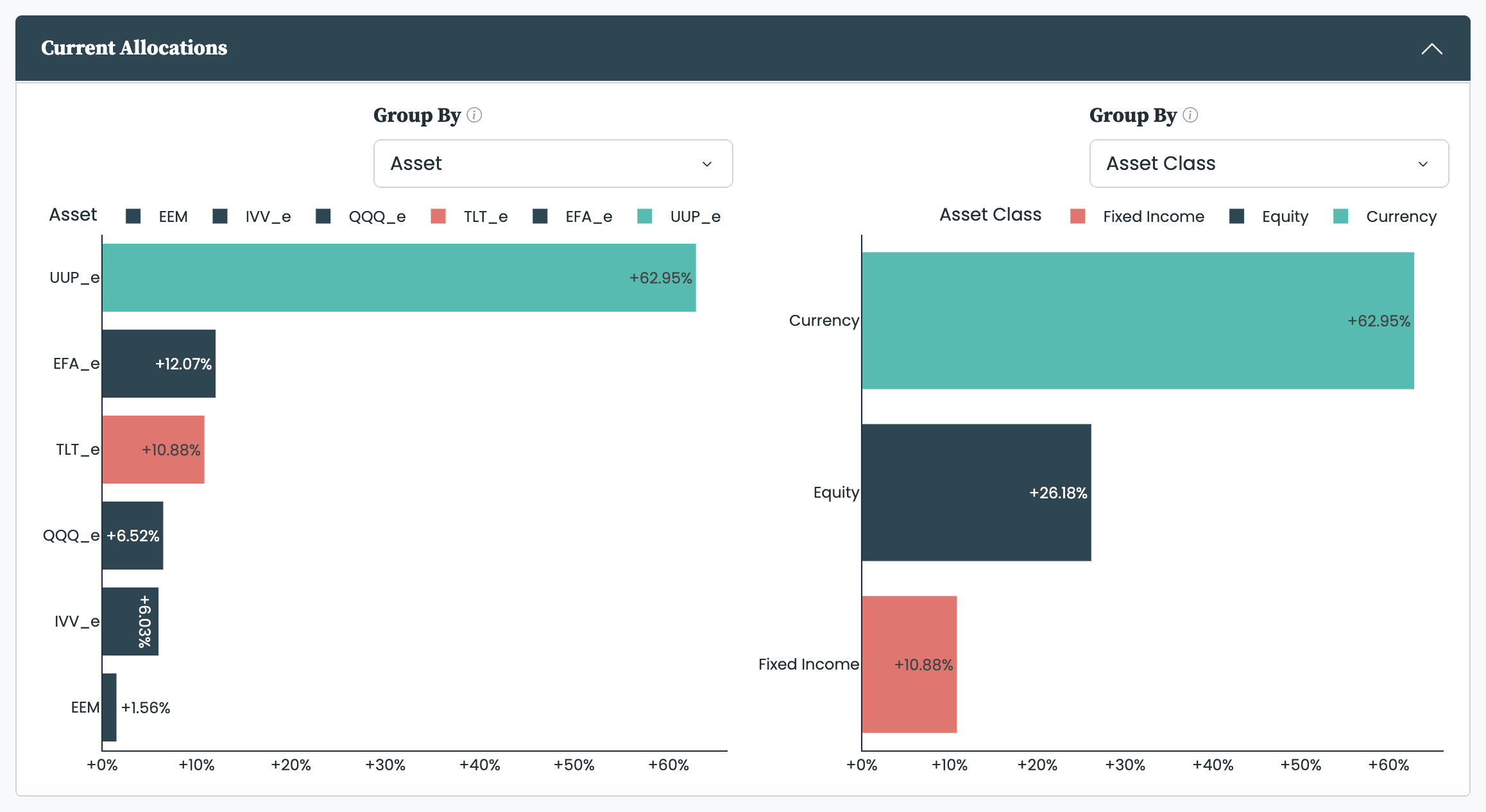
The holdings at the end of the selected date range, shown in two panels side by side, each with its own Group By. The default pairing shows the individual assets next to their asset-class totals, and the panels interact: with Asset on one side and Asset Class on the other, each asset's bar takes the colour of its asset class, so the detailed view and the rolled-up view read together. This is the view to check against your own account when implementing the portfolio.
"Current" follows the analysis date range: the charts show the allocation in force on the range's last day, not necessarily today's. And if that day is the end of a rebalancing period—the last weekday of a month, say—they show the allocation still held on that day, not the upcoming one, which only takes effect from the next trading day's open—see Rebalance frequency.


