


Rebalancing your portfolio
Contents
The Rebalancing Tool turns a target allocation into the exact trades for your own account. It compares your Current Allocations (where your account is now) with your New Allocations (where you want it to be) and produces the Rebalancing Instructions—the buys and sells that close the gap. Your new allocations can come from a portfolio you follow or be entered by hand. The three appear side by side: Current Allocations on the left, New Allocations on the right, and the Rebalancing Instructions below, once a target is set.
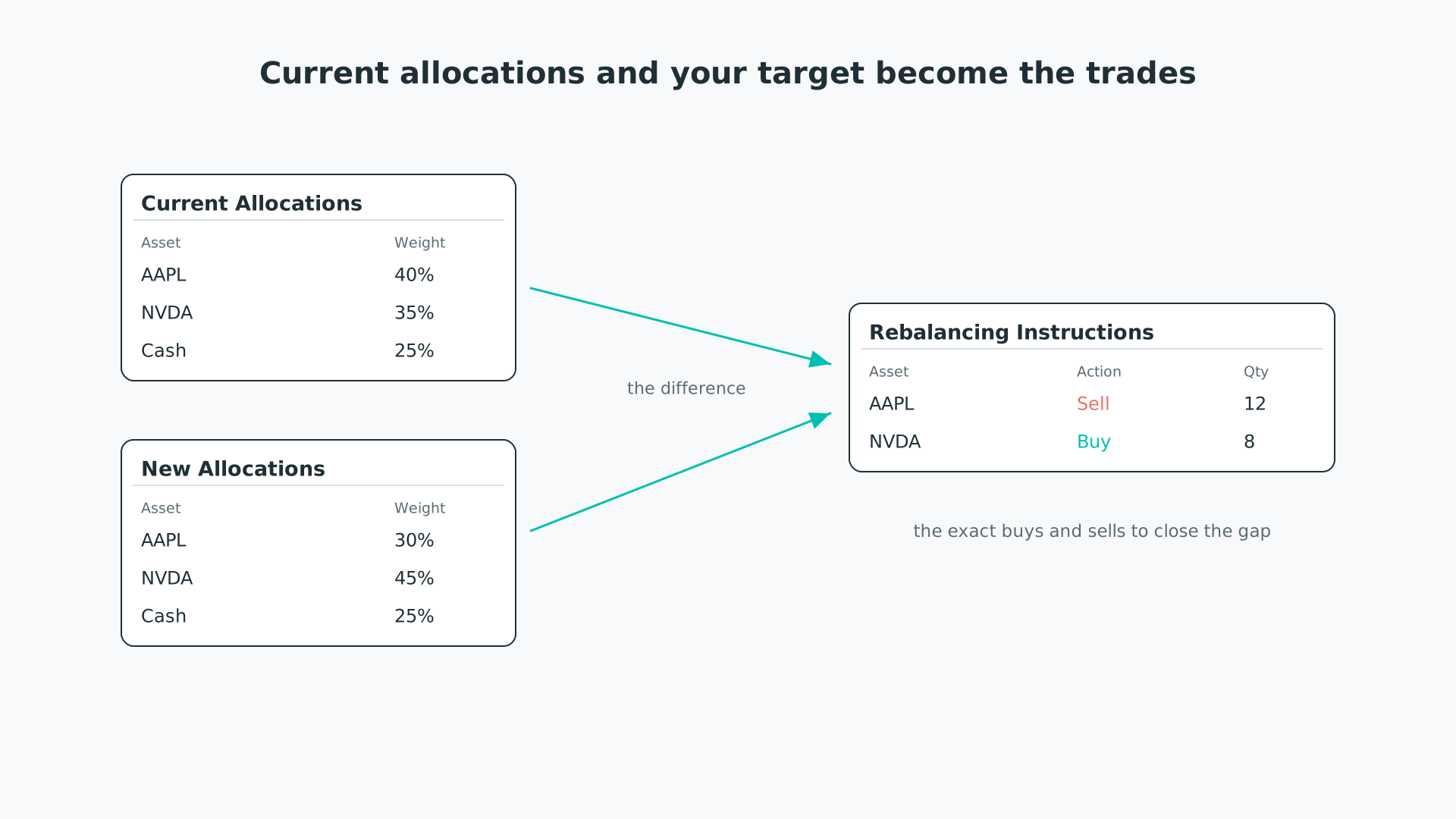
Current allocations and your target combine into the trades that close the gap.
Use the tool whenever a portfolio you follow rebalances—Rebalance frequency sets when that happens, and How a portfolio rebalances explains what changes at each one.
Current Allocations is your account as it stands. The Net Asset Value here is read-only: it is the total value of the positions you keep in the Trade Log, converted to your base currency. The holdings are shown as two tables—one for assets, one for currency—each as a share of that value. If you have not entered any positions, the tool tells you so and lets you continue without a current allocation.
The New Allocations panel is where the target comes from. The Allocations dropdown lists pfolio's portfolios, your own portfolios, and your tracked positions; choose one and select Load to fill the table with its latest allocations. The dropdown defaults to the last target you loaded, then to your tracked positions, then to your My Portfolio. When you load a portfolio, a Rebalancing Date line shows which rebalance the weights come from—the portfolio's most recent rebalance, set by its rebalance frequency in the Portfolio Builder; it does not appear for a target you enter by hand. The dropdown appears once your investor profile is set and you are on a paid plan; until then, enter the target by hand.
If a portfolio's risk level differs from your profile's recommendation, the risk-level notice appears and must be confirmed before the allocation loads—the same notice you meet in the Portfolios area.
The New Allocations table is editable, with an empty row always waiting at the bottom, so you can build a target from scratch or adjust a loaded one. Any value you leave unallocated—the difference between your asset weights and 100%—is spread across the currency table in proportion to its existing holdings, so the target always sums to your full account.
Enter your current Net Asset Value in the New Allocations panel: this is the amount the target weights are applied to. The figure is remembered for three months, so you do not retype it each visit. With a target and a value in place, select Load Instructions to generate the trades. If the value is missing or unreadable, the tool asks you to provide it.
The Rebalancing Instructions table lists, per asset, the Current Quantity, the New Quantity, the Delta between them, and the Action—Buy or Sell. The trades you need to make are sorted to the top, by the size of the change, with the holdings that need no action last. Download exports the table as a CSV file so you can place the orders in your brokerage account.
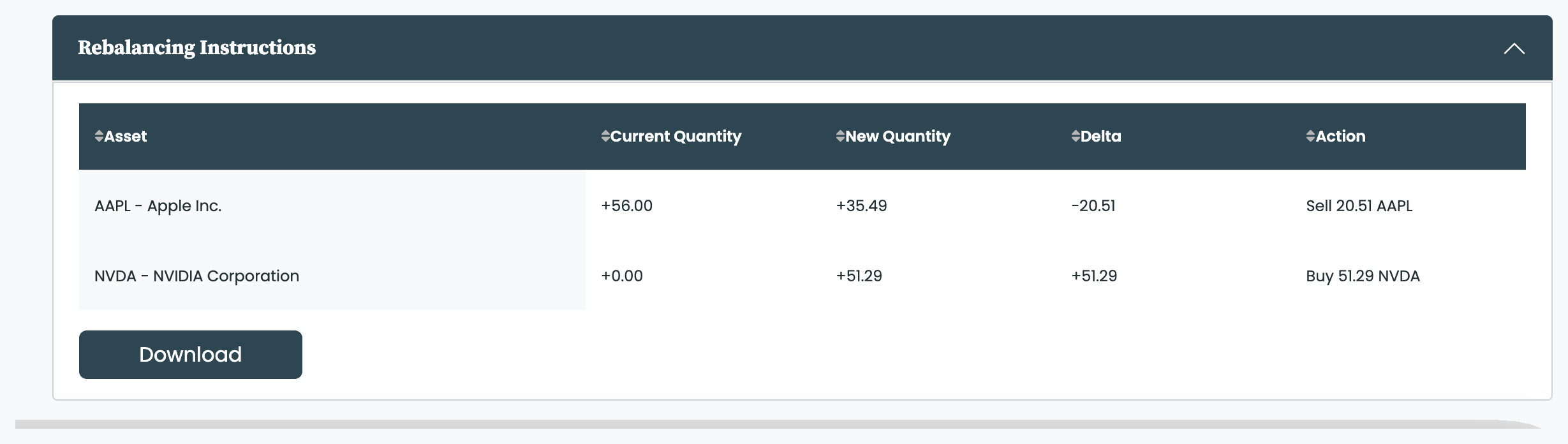
The rebalancing instructions: the exact buys and sells, ready to download.


