


Tracking your investments
Contents
Assets, Insights and Portfolios are about research and planning—sourcing data, analysing it, and designing strategies, all on hypothetical holdings. Investments is where it becomes real: this is where you record the positions you actually own, follow how they are performing, and turn a chosen portfolio into the exact trades for your own account.
The Investments area follows the life of a real holding through three pages:
- Trade Log: where you record what you own—either your current positions or every transaction over time. This is the starting point; everything else is built from what you enter here.
- Investments Overview: where you read how your investments have performed—net asset value over time, your current positions, cash flow, and the underlying data.
- Rebalancing Tool: where you turn a portfolio's target allocation into a concrete list of buys and sells for your own account, sized to your net asset value.
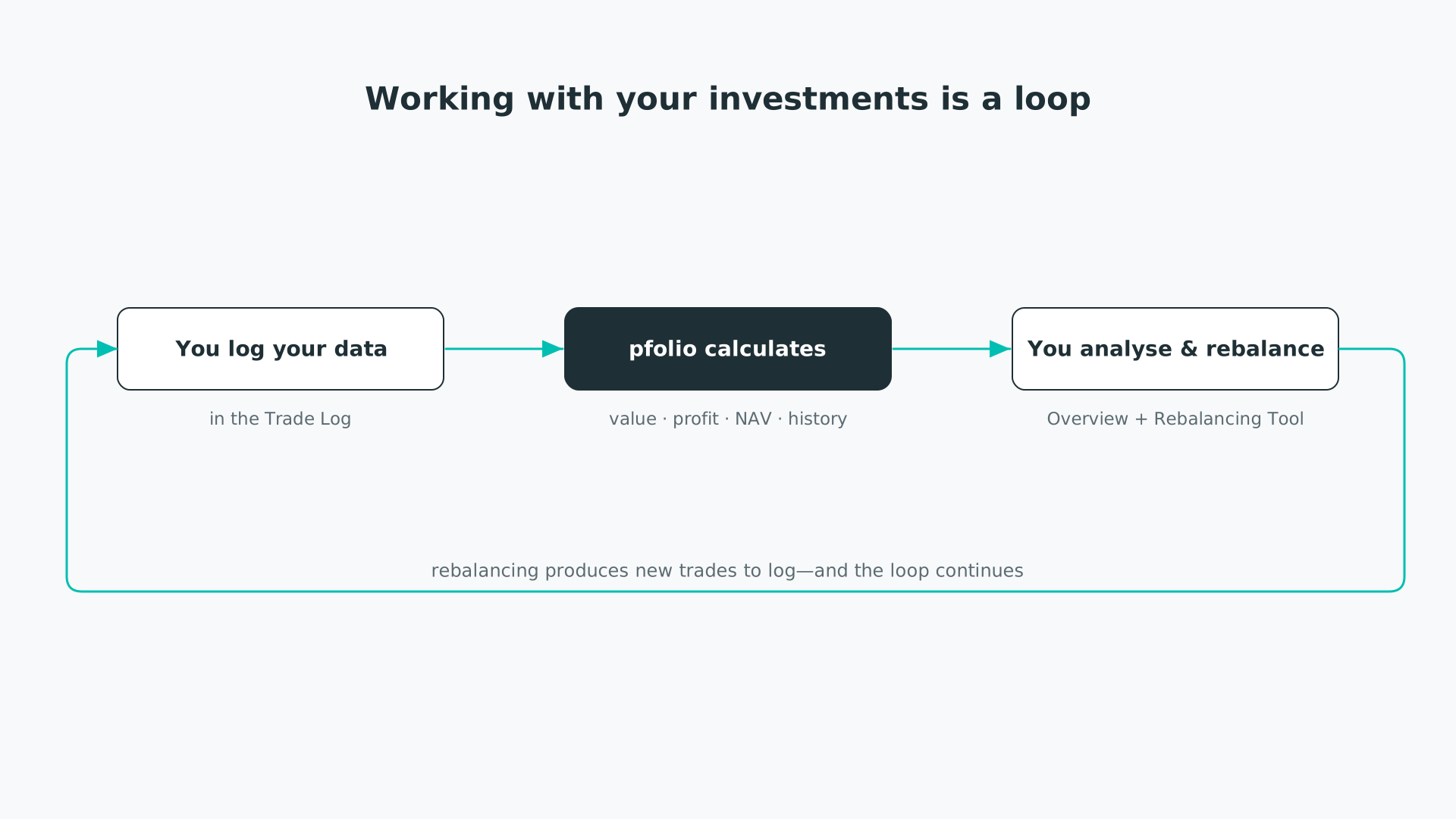
Working with your investments is a loop: log, calculate, analyse and rebalance, then repeat.
Two ways to track
In the Trade Log you can track your investments in one of two ways:
- Positions: enter the holdings you are invested in right now. This is the quick method—a snapshot of where you stand today.
- Transactions: enter your trades, transfers and fees over time. This takes a little more effort but lets pfolio reconstruct your history, which unlocks the net asset value and cash flow charts in the Overview.
You only need one method. Tracking your positions and Tracking your transactions walk through each in detail.
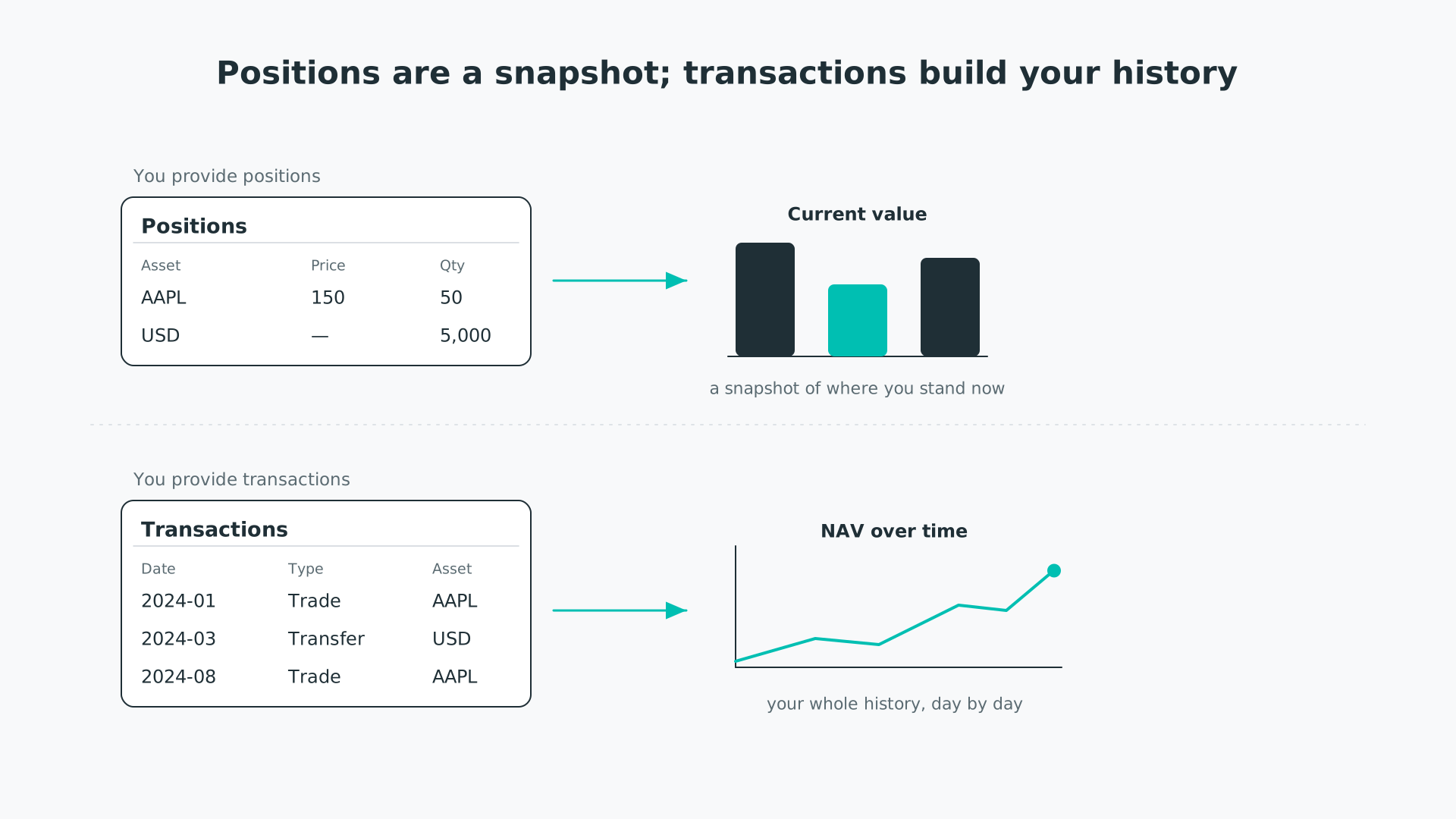
Positions give a snapshot of where you stand now; transactions build your history over time.
What pfolio builds from your data
From what you log, pfolio creates two things you can reuse elsewhere:
- The My Investment Positions list: an asset list with one entry for every asset you currently hold, created whichever method you use. It works like any other asset list—you simply cannot edit it by hand, as pfolio keeps it in step with your holdings.
- The my_investments asset: your whole account as a single asset, with its own price history. It is built from your transactions, so it appears only once you track them—positions on their own give a current snapshot, not the history needed to build it.
Both can be opened in the Insights tools like any other asset or list—compare your holdings against each other, or run the full metric suite over your investments as a whole.
Your base currency is set once, at the top of the Trade Log, and applies across the whole Investments area: positions, charts and rebalancing figures are all expressed in it. Holdings you hold in another currency are converted to your base currency using daily exchange rates. Set it to the currency your brokerage account is based in. See Tracking your positions for where to change it, and Investments calculations explained for how the conversion works.
- Tracking your positions—log the holdings you currently own.
- Tracking your transactions—log your trades, transfers and fees over time.
- Analysing your investments—read your performance in the Investments Overview.
- Rebalancing your portfolio—generate the trades to rebalance your account.
- Investments calculations explained—how the figures are worked out.


